Where we make DCC fun!
Litchfield Station Carries A Full Line of Digitrax Products
FEATURED PRODUCTS



MODEL RAILROADER
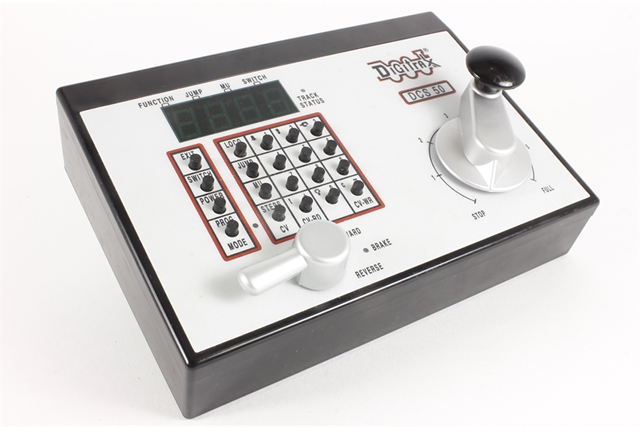
Digital Command Control changed all of that. Digitrax was the first US company to offer a complete system that supplied constant power to the track so that locomotives equipped with decoders could perform all sorts of independent controls and actions. These decoders make it possible to run multiple trains with ease, and without the large bank of switches that were formerly the norm. The standardization of Digital Command Control allows equipment from different manufacturers to operate in unison. Not only does this offer model railroaders more versatility in their layouts, it also makes the products more affordable to the consumer.
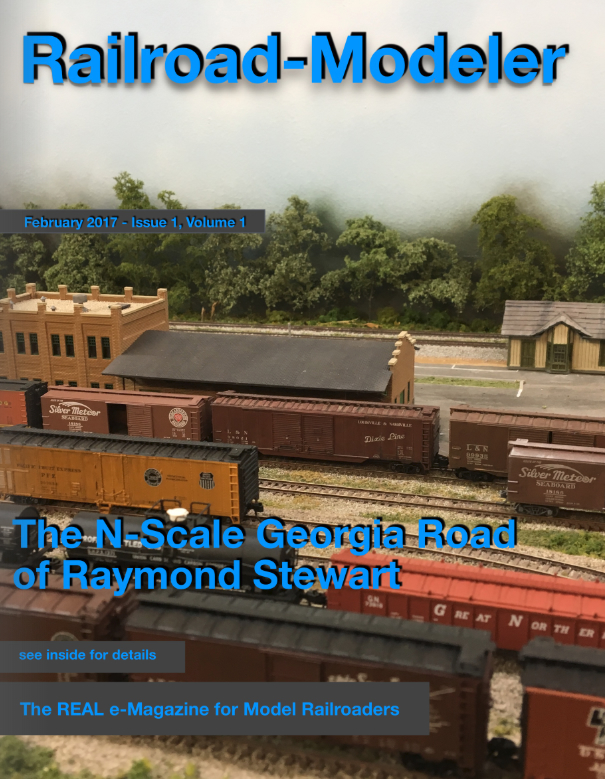
Railroad-Modeler is HERE NOW!
Our Major Suppliers
Are there any disadvantages to using Digital Command Controllers?
The benefits of using DCC equipment far outweighs the negatives, but there are some things to consider before taking the plunge. If you’ve run a model railroad for a number of years, it’s likely that your locomotives aren’t equipped with decoders. This may require a significant investment if you run multiple locomotives. If you own newer locomotives, it’s likely they have sockets that accept a plug-in decoder, but if they have to be installed it’s highly recommended to get help from a professional. At Litchfield Station, our model railroad experts can install decoders into any locomotive, some of which are full of amazing features that will take your layout to the next level. If you’re capable of installing your own decoders, we also have all of the equipment you need that will make this process far easier. Some newer locomotives come equipped with decoders already installed, and some manufacturers offer complete systems that makes creating a new layout very easy. If you would like to learn more about decoders or complete DCC train systems, contact us and speak with our model railroader guru.
Choosing a DCC train system for first-time model railroaders
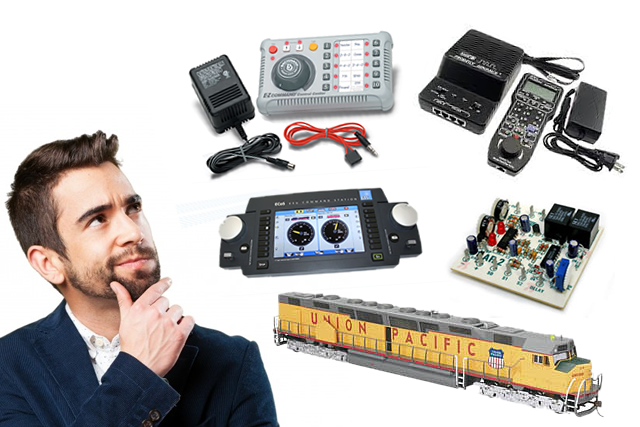
If you’re new to model railroading, you may be overwhelmed by the many systems available in our online store. However, most manufacturers offer complete systems for the first-time railroader that are easy to set up and control. Most of these systems are also quite affordable and run between $150 and $350. If you have a model railroading club in your area, or know someone who is into the hobby, it’s a good idea to talk to them and get some input according to what you want out of your layout. You can also check out a number of useful online resources concerning Digital Command Control, as there are many model railroader forums with hobbyists ready to offer their opinions and answer your questions. Beginners may be best served by purchasing locomotives with decoders already installed, and even though advanced features like flashing lights and rotary beacons may be appealing, these often require additional light installations that are more suitable to the advanced railroader. Like so many other things in life, the least expensive isn’t always the best. By gathering information from other model railroaders, you can select a DCC train system that will help you expand your layout over the years, rather than continually upgrading to a new system every few years. If you would like help choosing the right Digital Command Control for your needs, don’t hesitate to contact Litchfield Station, and get advice from a model railroader with a lifetime of experience.
Which DCC train system is the “best?”
Volumes could be written on this topic, but the truth is that the “best” system is entirely different for every model railroader. One hobbyist may have budgetary limitations that influence their choice of Digital Command Control system while another is only limited by their imagination. Many railroaders will also claim that one brand is better than another, but all of the major DCC manufacturers make a wide variety of models, and there is no way that they’re capable of being familiar with them all. When attempting to answer the question of which Digital Command Control train system or brand is the best, the truth is that there is only one accurate answer. It’s up to you. DCC Train The best DCC train system for you is one that does what you need it do and allows you expand your layout, if that is your intention. Some of the most popular Digital Command Control manufacturers include Digitrax, NCE, ESU LokSound, and Lenz. At Litchfield Station, we carry all of the brand names you’ve come to trust, but if you’re new to DCC trains and model railroading, we offer the following information to help you choose the “best” system for your needs.

Asking the right questions to help you decide on your DCC system
It’s easy to get caught up in the marketing of any product, and DCC is no different. Different brands flaunt their specifications, claiming to have the “biggest” or “most powerful” feature, but this doesn’t mean a thing if the feature isn’t necessary to run the layout you choose. As mentioned above, it is extremely helpful to talk to other model railroaders about what they use and why. Pay close attention to what they say, and even take notes that are pertinent to your interests. When you narrow down your choices to three or four Digital Command Control systems, you can ask yourself the following questions to pinpoint your final choice.
- Are the controls easy to use?
- Do you like the layout of the throttle?
- How steep is the learning curve?
- How difficult is it to control multiple trains at the same time?
- How difficult is it to program locomotive decoders?
- Can you upgrade the DCC system?
- Can the turnout be thrown?
- Can you connect the DCC to a computer with ease?
You will also have to consider your budgetary constraints before pulling the trigger on your Digital Command Control. You may have to make some concessions, but the best choice for you will be the one that offers you the most features you want at the best price. When comparing Digital Command Control systems, it’s also important to compare cabs and throttles. Some are easier to use and more intuitive than others. Most newer systems from major manufacturers are comparable, but you’ll get far greater enjoyment out of your DCC if you understand and appreciate these essential features. If you’re still having trouble making that final choice, feel free to contact us at Litchfield Station with any of your questions. Our in-depth knowledge and experience may well prove indispensable as you jump into the wide world of DCC trains. Attaching a computer to a DCC system is become quite popular. If you’re interested in doing so, be sure to check and see if it’s possible with the system you select.
Are you a recreational user or casual hobbyist?
This is an important distinction because the casual hobbyist doesn’t need anywhere near the number of features that a seasoned railroader may need. Some of the best introductory DCC systems offered by names like Atlas and Digitrax will run a few locomotives, and some (literal) bells and whistles. Some are even capable of small upgrades. These “starter” or “beginner” DCC systems are affordable, easy to use, and are a great way to take a few baby steps into model railroading without breaking the bank. If you eventually decide you want to dive deeper into the hobby, there will be ample ways to expand and grow your layout.
All aboard for Litchfield Station!
At Litchfield Station, our name is synonymous with quality products, prompt shipping, affordable prices, and unmatched customer care. We are enthusiastic model railroaders dedicated to helping our fellow model railroaders get the most out of this amazing hobby. If we can help you in any way, please don’t hesitate to call or send us an email.
Open Hours
Monday-Friday: 8am to 5pm
Saturday: 8am to Noon
Sunday: Closed
We are on Mountain STANDARD Time (UTC/GMT -7 hours). We don’t change to daylight time – we don’t need more afternoon in the summer!

© 2018 Litchfield Station, Model Railroader, DCC • Sitemap